Authentication
Access_token is the user's access token, which carries information such as the user's identity and permissions. Authentication is mainly divided into the following two steps:
- Obtain App ID and App Secret
- Obtain Access_token
- Code-based approach → Suitable for users with a computer background
- Web debugging tool → Suitable for users with zero foundation
1. Obtain App ID and App Secret
(1) Platform Login
-
Open a browser and visit the platform address: https://iot.seismi.co/ to enter the login page.
-
Fill in the login information:
- Enter your account (email address) in the input box;
- Enter your login password in the input box below;
-
After confirming the information is correct, click the login button to complete the platform login.
(2) Create an Application
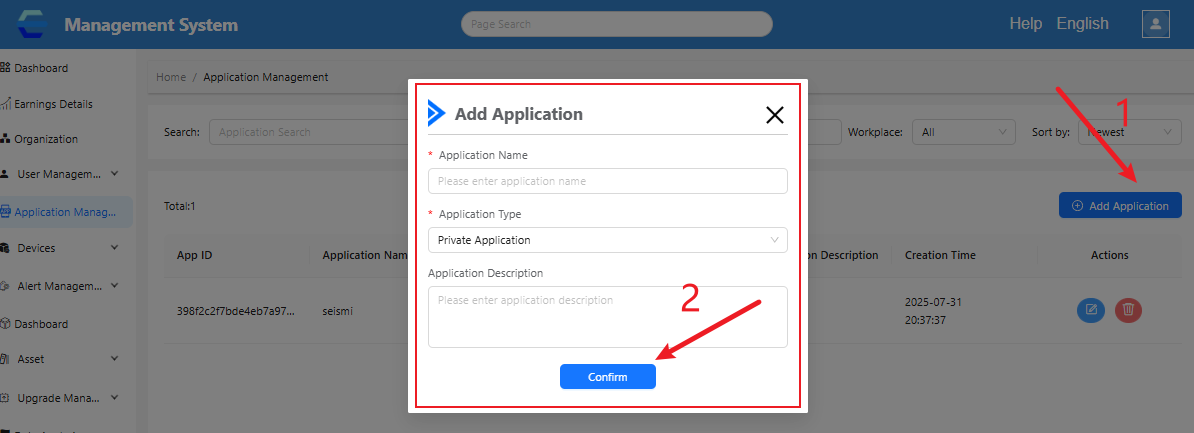
After logging in to the platform, create an application in the Application Management section.
(3) View Application Credentials
After successfully creating the application, you can view the created application in the application list.
The platform will assign relevant credentials to this application, mainly AppID and App Secret. These three pieces of information (note: the original text mentions "three pieces of information" but only lists two; keep the original meaning) are important credentials for the actual development of your application, and each application has unique credentials. For the security of your property and services, please keep them properly.

2. Obtain Access_token
The open platform uses OAuth2.0 authorization to call open APIs. When calling an API, you must include the Access_token parameter in the URL. The Access token has a default validity period of 30 days. The process for obtaining an Access_token is as follows:
Request URL Data Format
Send a GET request to the authorization service address https://iot.seismi.co/api/oauth2/token and include the following parameters in the URL:
- grant_type: Required parameter, fixed as
client_credentials; - client_id: Required parameter, the
App IDof the application; - client_secret: Required parameter, the
App Secretof the application;
Example:
https://iot.seismi.co/api/oauth2/token?
grant_type=client_credentials&
client_id=Va5yQRHlA4Fq5eR3LT0vuXV4&
client_secret=0rDSjzQ20XUj5itV6WRtznPQSzr5pVw2
Two Methods to Obtain Access_token
The following are two methods to obtain an Access_token; you can choose according to your needs.
Method 1: Obtain Access_token via Code
The following is sample code. Here, we use the shell language for demonstration. Enter the App ID and App Secret obtained after creating the application below.
Replace the value assigned to client_id with your App ID, and replace the value assigned to client_secret with your App Secret.
curl https://iot.seismi.co/api/oauth2/token \
  --data-urlencode "grant_type=client_credentials" \
  --data-urlencode "client_id=xxx" \
  --data-urlencode "client_secret=xxx"
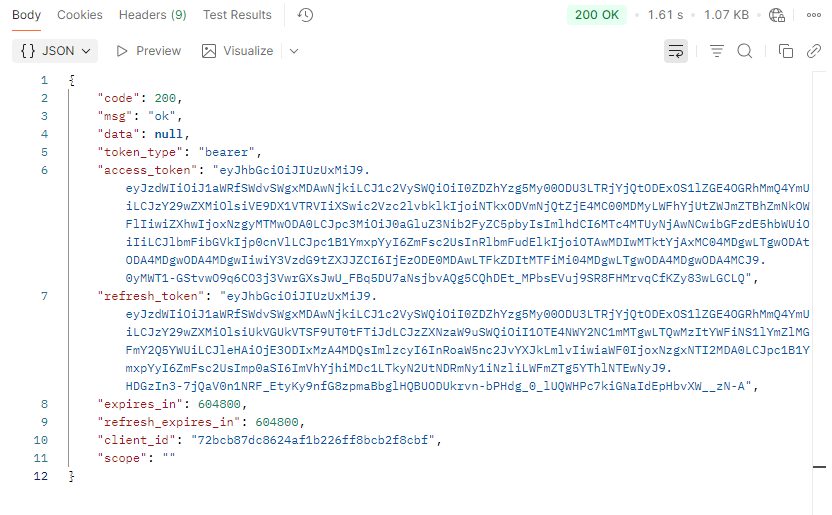
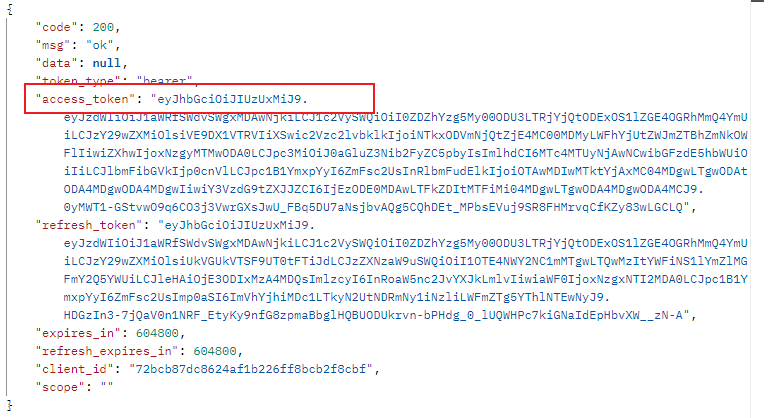
The results displayed after running are as follows:
-
access_token: The Access Token to be obtained;
-
expires_in: Validity period of the Access Token (in seconds, valid for 30 days);
-
refresh_token: Refresh credential, used to proactively renew the access token and extend the authorization validity period;
-
scope: Authorization scope, identifying the permission scope of the current request;
If the request is incorrect, the JSON text returned by the server will contain the following parameters:
- error: Error code; for detailed information about error codes, refer to the Authentication Error Codes below.
- error_description: Error description information to help understand and resolve the error that occurred.
Example of authentication failure response:
{
    "error": "invalid_client",
    "error_description": "unknown client id"
}
Authentication Error Codes
| error | error_description | Explanation |
|---|---|---|
| invalid_client | unknown client id | Incorrect API ID |
| invalid_client | Client authentication failed | Incorrect API Secret |
Method 2: Obtain Access_token Using a Web Debugging Tool (e.g., Postman)
Enter the following in the web debugging tool in sequence:
- grant_type: Required parameter, fixed as
client_credentials; - client_id: Required parameter, the
API Idof the application; - client_secret: Required parameter, the
Secret Keyof the application;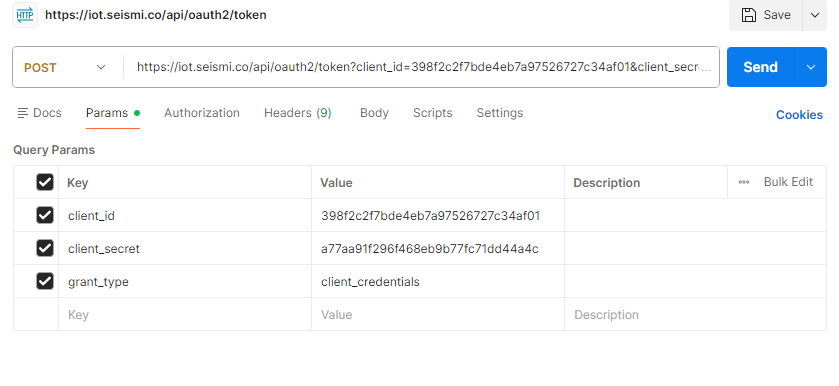
After entering the information, click "Send". A JSON string will be returned, from which you can obtain the Access_token.