Cow Ear Tag Upgrade Guide
-
Open the Pen Rider App.
-
On the Devices page, find the ear tag device and tap it to enter the measurement page.
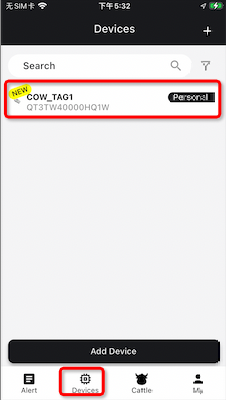
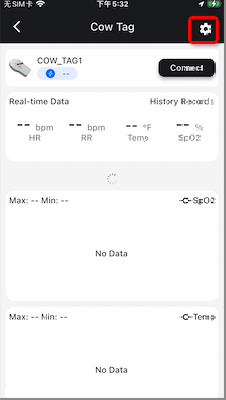
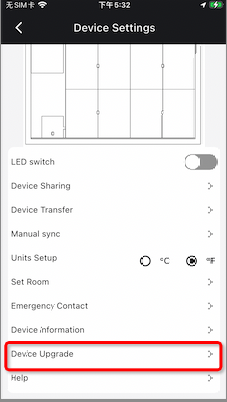
- On the measurement page, tap the settings icon in the top-right corner, then tap the Device Upgrade button to enter the upgrade page.
-
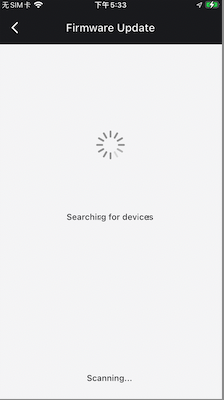
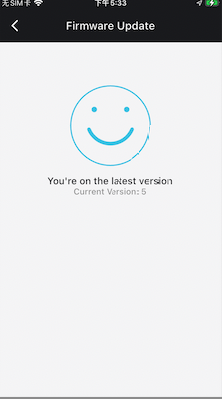
After entering the upgrade page, the system will automatically search for the device and retrieve the current firmware version. If the device is already running the latest version, a message will indicate that the device is up to date.
-
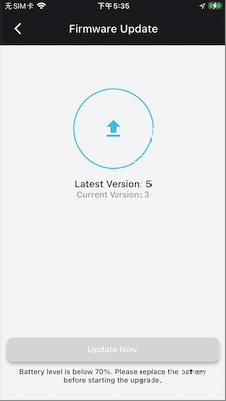
If a new firmware version is detected, the system will prompt you to perform an upgrade. Before upgrading, please ensure that the device battery level is above 70% to avoid interruptions during the upgrade process. If the battery level is below 70%, the App will also notify you that the upgrade cannot be performed.
-
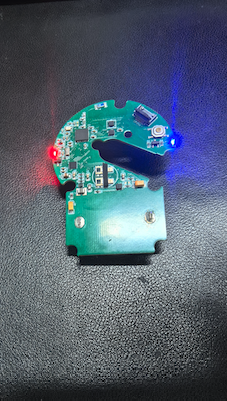
Tap the Update Now button to start the upgrade process. During the upgrade, the device indicator light will remain solid. Once the upgrade is completed successfully, the indicator light will automatically turn off.
-
.If the upgrade fails, you can retry the upgrade on the current page. There is no need to worry about the device becoming unusable or crashing.